10 Best AI Email Assistants in 2026: Ranked by Use Case


Table of Contents
Email hasn't gotten simpler — it's gotten louder. Between client threads, internal updates, newsletters, and follow-ups that slip through the cracks, most professionals aren't struggling with writing emails. They're struggling with the volume. AI email assistants are built to absorb that pressure. The category now covers everything from full inbox clients with AI baked in, to lightweight add-ons that handle drafting or sorting in the background.
This guide reviews 10 tools that approach the problem differently — each evaluated for how well it handles real email workflows, not just how impressive the AI assistant sounds on a features page.
The Best AI Email Assistants at a Glance
- Superhuman — Fastest inbox experience for high-volume professionals
- Shortwave — AI-native email client with deep search and automation
- Gemini for Gmail — Built-in AI for Google Workspace users
- Microsoft Copilot for Outlook — Native AI layer across the Microsoft 365 stack
- SaneBox — Background inbox filtering that learns over time
- Notion Mail — Customizable AI-sorted inbox for Notion users
- Canary Mail — Best for privacy and security
- Mailbutler — Email tracking and productivity add-on for Gmail, Outlook, and Apple Mail
- Fyxer AI — Best for hands-off inbox management
- Proton Scribe — Privacy-first writing assistant with local processing
What Makes an AI Email Assistant Worth Using?
The number of tools claiming AI email capabilities has grown fast enough that the label alone doesn't mean much anymore. What separates the useful ones from the forgettable ones tends to come down to a few things that aren't always obvious on a features page.
- Inbox integration quality matters more than most people expect:
A tool that works seamlessly with Gmail but barely functions in Outlook — or ignores Apple Mail entirely — creates friction instead of removing it. The best email AI assistants plug directly into the client you already use without requiring you to change how you work.
- Draft generation is table stakes:
The real time drain is everything around the writing: triaging 80 unread messages after a two-hour meeting, extracting the one action item buried in a 14-reply thread, or remembering to follow up on something sent five days ago. Tools that handle triage, summarization, and follow-up automation address the part of email most people actually lose hours to — separate from dedicated AI writing tools that focus on content creation.
- Tone adaptability is another dividing line:
If every AI-generated reply reads the same — polished but generic — recipients notice, and you end up rewriting anyway. The stronger AI email assistants learn how you communicate and adjust to match, not override.
- Privacy and data handling deserve scrutiny, not assumptions:
Cloud-based tools process your email content on external servers by default. If your inbox regularly carries client contracts, financial records, or internal strategy, that's not a minor detail — it's a filter.
And then there's workflow fit. A tool packed with features you'll never use isn't more capable — it's more cluttered. The right AI email assistant is the one that matches the specific way your inbox breaks down, not the one with the longest spec sheet.

The 10 Best AI Email Assistants in 2026
Every tool on this list approaches the problem of inbox overload from a different angle. Some replace your email client entirely. Others layer on top of what you already use. A few focus narrowly on one thing — sorting, writing, or cleaning — and do it well enough that the specialization is the point. The right pick depends on how your work actually runs, not just which tool has the longest feature list.
1. Superhuman — Fastest Inbox Experience for High-Volume Professionals
Best for: Founders, executives, and professionals who process 100+ emails daily and prioritize inbox speed over feature depth.
Superhuman replaces the Gmail and Outlook interface entirely with a keyboard-shortcut-driven client built around one goal: zero inbox friction. Unlike most email AI assistants that layer features onto an existing client, Superhuman's approach is subtractive — stripping out tabs, sidebars, and everything outside the direct path of reading and responding.
For those who fully commit to the shortcut system, the cumulative effect across a high-volume inbox is a materially faster workday — most actions drop to single keystrokes, and the interface never competes for attention. The tradeoff: the first week involves frequent shortcut lookup, and users who don't go all-in on keyboard navigation won't recover the value.
The AI layer covers draft generation, thread summarization, and reply suggestions — reliable for standard professional email, but outputs on relationship-dependent messages tend to land accurate in content and neutral in register, requiring an editing pass before sending. As an AI-powered email assistant, it handles volume well; it doesn't handle nuance for you.
At $30/month with no free tier, Superhuman is priced for its interface speed — the AI features match what the best AI email assistants for Gmail and Outlook already include in existing subscriptions. The value case is whether keyboard-driven speed — not AI intelligence — justifies the premium for your workflow.
Pricing: $30/month (individual)
Works with: Gmail, Outlook
2. Shortwave — AI-Native Email Client with Deep Search and Automation
Best for: Gmail-only users who deal with long threads and buried conversations, and want AI that actually helps find and process information — not just write faster.
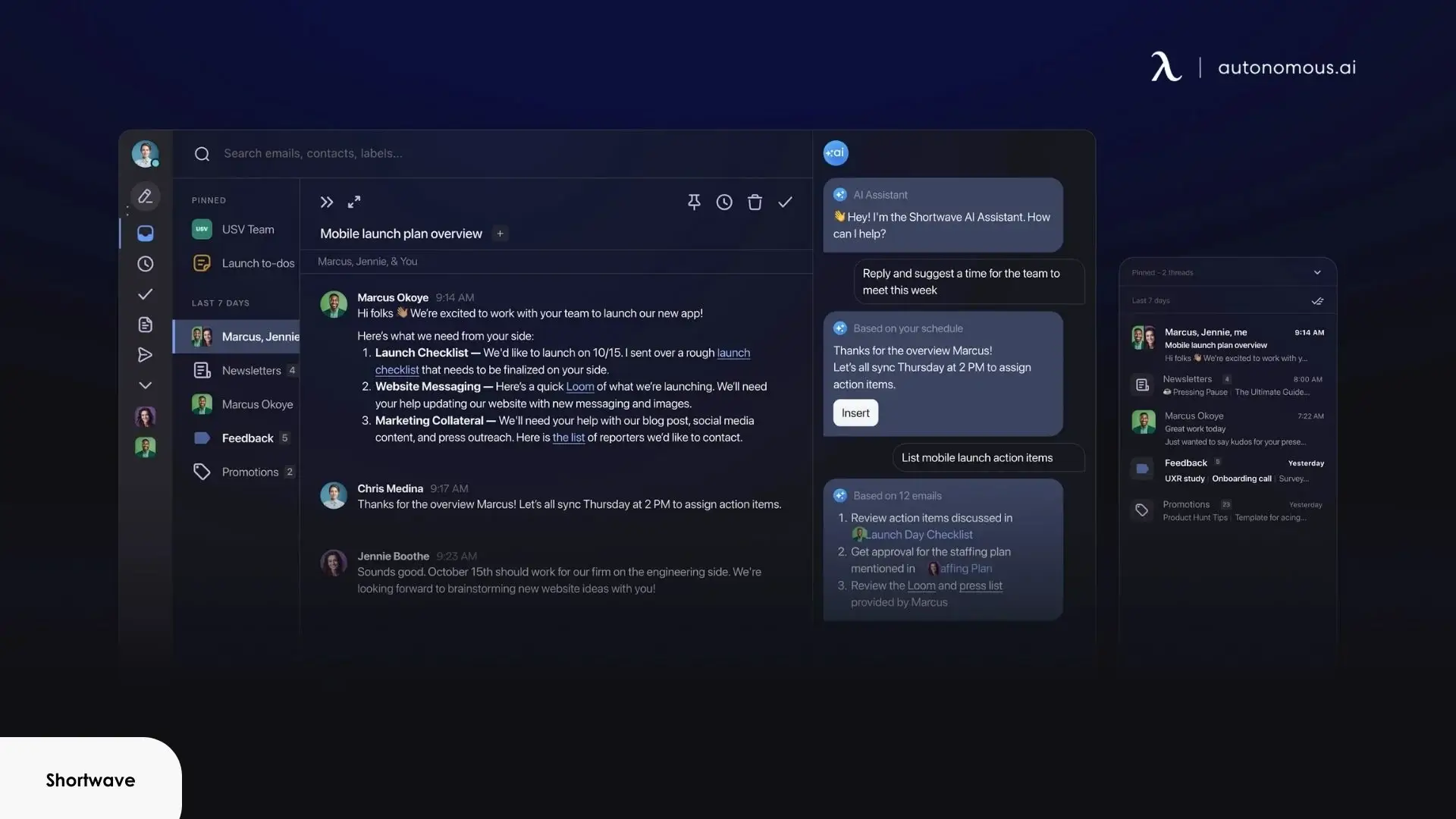
Shortwave is a Gmail client rebuilt from the ground up with AI as a core function rather than an add-on. The interface is cleaner than native Gmail, and the AI layer covers thread summarization, smart triage, draft generation, and a natural language search that queries your inbox by concept rather than exact keyword.
The search is the standout. A query like "find the proposal we discussed last March" returns accurate results even without matching subject lines or keywords — a meaningful upgrade over Gmail's native search and one of the better AI assistants for email management in a single-platform client. Thread summarization is equally strong, consistently pulling out the key decision or outstanding action rather than restating every message in a chain.
The limitation is scope: Shortwave only works with Gmail, and the free plan caps AI search history at 90 days. For anyone who regularly references older threads, that pushes you to the Pro plan at $18/month — reasonable if search and summarization are your primary pain points, but less compelling if you need cross-platform support.
Pricing: Free (90-day AI history); Pro at $18/month
Works with: Gmail only
3. Gemini for Gmail — Built-In AI for Google Workspace Users
Best for: Teams and professionals already inside Google Workspace who want AI email assistance without adding another subscription or tool.
Gemini is Google's native AI layer embedded directly into Gmail, available to Google Workspace subscribers. The core capability that separates it from third-party alternatives is cross-app context — when drafting a reply, Gemini can pull information from Google Drive, Docs, and Calendar without the user switching tabs or manually providing that context — a capability no third-party tool can replicate at the same depth.
Draft quality is reliable for standard professional communication — the "Help me write" prompt handles freeform instruction well and produces usable first-pass outputs for most email types. Thread summarization is accurate and action-item-focused. Where it falls short is tone: outputs default to a safe, corporate register that works for internal updates but often needs editing for client-facing or relationship-sensitive messages.
The core limitation is that Gemini functions as an assistant within Gmail, not as an inbox manager. It does not triage, auto-categorize, or learn your behavior over time the way a dedicated email AI assistant would. It answers when prompted; it does not act proactively.
Pricing: Included with Google Workspace Business Standard ($14/user/month and above)
Works with: Gmail (Google Workspace only)
4. Microsoft Copilot for Outlook — Native AI Layer Across the Microsoft 365 Stack
Best for: Organizations running on Microsoft 365 who want AI integrated into existing tools without onboarding a new platform.
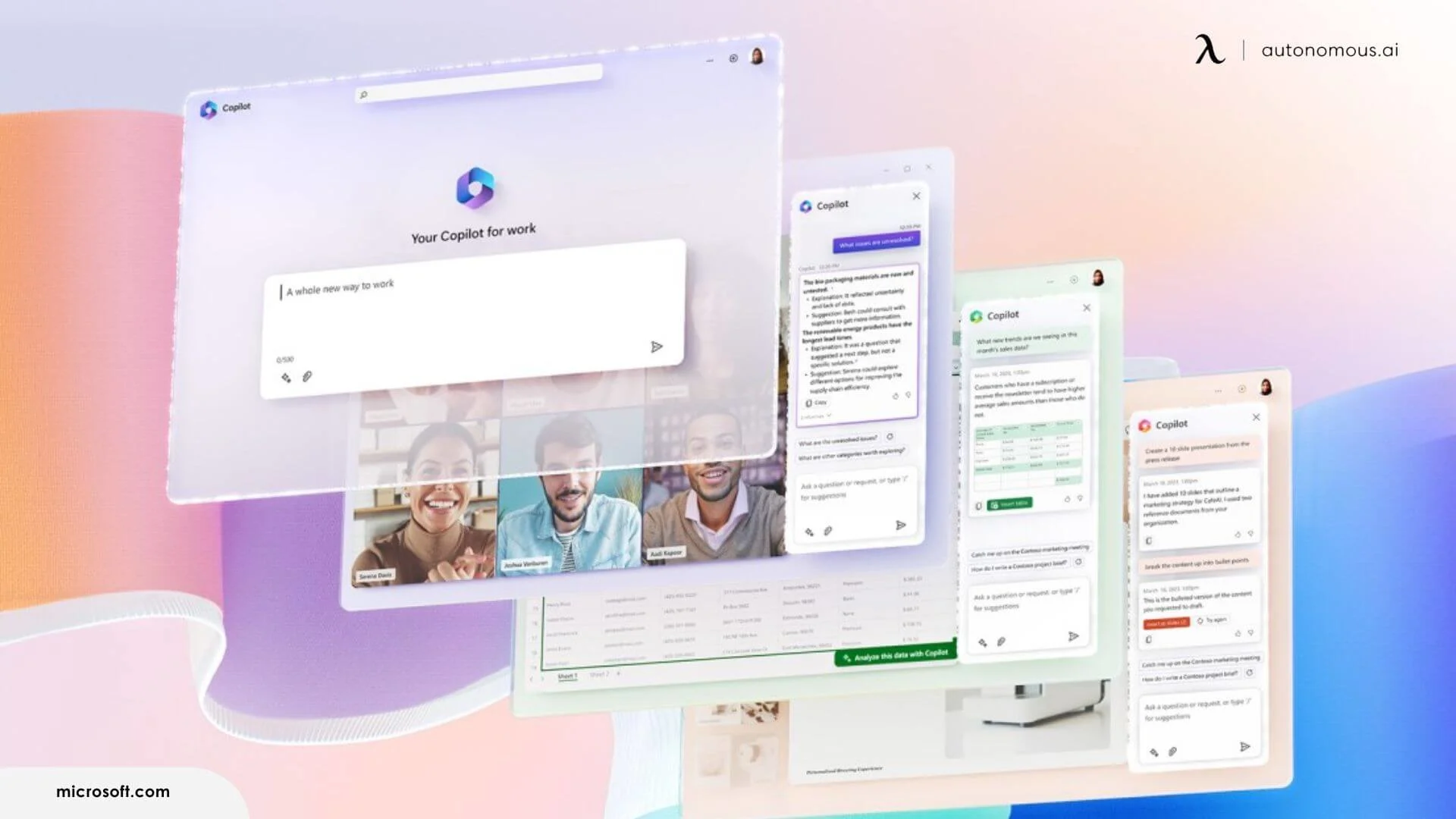
Copilot is Microsoft's AI layer built directly into Outlook and the broader 365 suite. Like Gemini within Google Workspace, its core advantage is native integration — it can reference files in OneDrive, pull meeting context from Teams, and draft replies informed by your calendar and recent documents. That cross-application awareness means fewer tab switches and less manual context-feeding when composing longer or more complex messages.
For day-to-day email, Copilot handles thread summarization, draft generation, and tone adjustment reasonably well. It performs best with structured, professional communication — internal updates, meeting follow-ups, project briefs. The summarization feature is especially useful for long email chains where extracting the key decision or next step would otherwise take several minutes of scrolling.
Where Copilot shows its limits is creative flexibility. Outputs lean toward a formal, corporate tone that can feel templated across different message types — users who need more nuanced rewording may benefit from dedicated paraphrase AI tools alongside Copilot. It also does not function as a standalone inbox manager — there is no automatic triage, prioritization, or behavioral learning. Like Gemini, it assists when asked rather than acting on its own. Users expecting proactive inbox organization will need to pair it with a separate tool.
Pricing: Microsoft 365 Copilot at $30/user/month (add-on)
Works with: Outlook (Microsoft 365)
5. SaneBox — Background Inbox Filtering That Learns Over Time
Best for: Professionals who want inbox noise reduced without changing their email client or adding AI writing features.
SaneBox takes a different approach from every other AI assistant for email management on this list — it does not write, summarize, or generate anything. Its entire function is triage: automatically sorting incoming mail into folders based on learned behavior, with the goal of surfacing only what actually needs attention. Over time, it learns individual email behavior and adjusts its sorting accordingly, which means the filtering becomes more accurate the longer it runs.
The setup is straightforward: SaneBox connects to an existing email account and creates folders like SaneLater, SaneNews, and SaneBlackHole. Messages that do not need immediate attention are moved out of the primary inbox automatically. For anyone who receives dozens or hundreds of emails a day, this alone can cut visible inbox noise significantly. The SaneReminders feature also adds a lightweight follow-up system — if a sent email does not receive a reply within a set timeframe, SaneBox resurfaces it.
The trade-off is scope. SaneBox is purely an organizational tool. It does not help compose replies, rewrite drafts, or provide contextual suggestions — for thread condensation, dedicated summarize AI tools fill that gap. Users who need writing assistance will still need a separate AI layer for that. It also requires some initial training — moving misclassified emails into the right folders — before the filtering becomes reliable.
Pricing: From $7/month (Snack); $12/month (Lunch)
Works with: Gmail, Outlook, iCloud, Yahoo, and most IMAP providers
6. Notion Mail — Customizable AI-Sorted Inbox for Notion Users
Best for: Notion-heavy users who want their inbox to follow the same organizational logic as the rest of their workspace.
Notion Mail is a relatively new entry in the AI email space, designed to bring Notion's database-driven approach to email management. The core idea is that emails are treated like items in a Notion database — they can be filtered, sorted, labeled, and organized using custom rules and AI-generated categories. For users already running their project management, notes, and documentation through Notion, this creates a single organizational layer across tools.
The AI component handles automatic sorting, categorization, and scheduling of emails. It can assign labels based on content type, flag action items, and surface messages that match user-defined priority rules. The interface itself is minimal and focused, which helps reduce the cognitive load that comes with busier email clients.
The limitation is ecosystem dependency. Notion Mail delivers its strongest value to users already embedded in Notion's workflow. For anyone using a different project management stack, the integration advantages diminish considerably. The writing assistance features are also less developed compared to dedicated AI drafting tools — it is better at organizing what arrives than helping compose what goes out.
Pricing: Currently available as part of Notion's paid plans (Plus at $10/user/month and above)
Works with: Gmail accounts (with broader provider support planned)
7. Canary Mail — AI Email Client Built Around Privacy and On-Device Processing
Best for: Privacy-conscious professionals and teams who want AI assistance — drafting, triage, smart search — without their email content leaving the device.
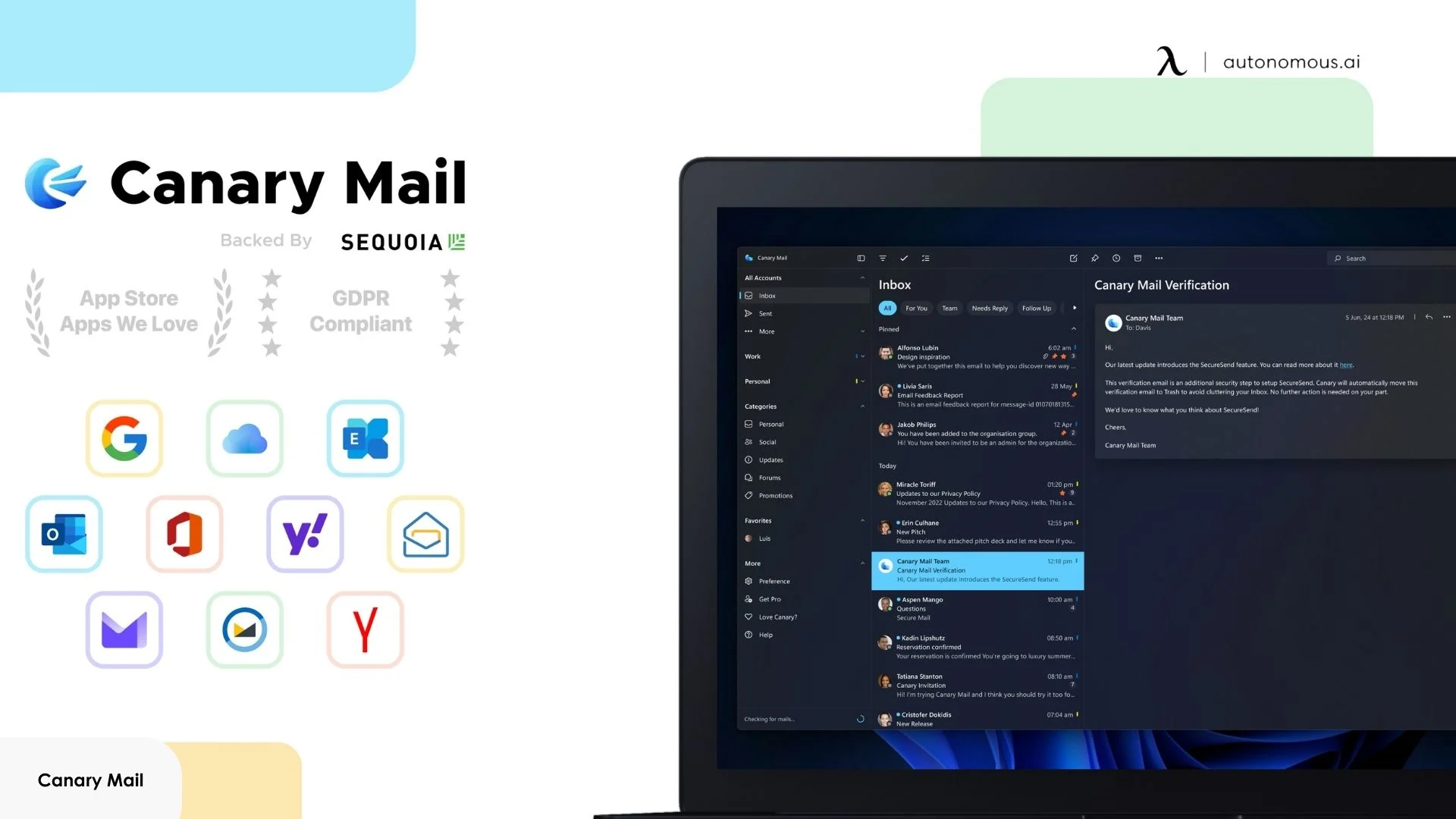
Canary Mail is a standalone email client available on macOS, iOS, Android, and Windows that runs its AI features locally on-device by default. That means drafts, summaries, and search queries are processed without sending email content to external servers — a difference from most AI email assistants that rely on cloud processing. For users exploring how to run AI locally across their workflow, Canary demonstrates what that looks like inside an email client.
The AI layer covers the essentials: draft generation with tone control, thread summarization, and natural language search across multiple accounts. The smart search works well — querying "invoices from last month" pulls results across all connected inboxes without needing exact subject lines. Built-in phishing detection and tracker blocking add a layer of security that most competitors either skip or offload to a separate extension.
Where this tool falls short is AI depth. The on-device model is smaller than what cloud-based tools run, which means draft quality on complex or nuanced messages tends to be more generic. Summarization handles straightforward threads well but can miss subtlety in longer, multi-topic chains.
Pricing: Free plan available; Pro+ at $100/year
Works with: Gmail, Outlook, iCloud, IMAP
8. Mailbutler — Email Tracking and Productivity Add-On for Gmail, Outlook, and Apple Mail
Best for: Freelancers, salespeople, and small teams who need email tracking, follow-up reminders, and light AI drafting without replacing their existing email client.
Mailbutler is a browser extension and plugin that layers productivity features on top of Gmail, Outlook, and Apple Mail. The core value is visibility: read receipts, link click tracking, and real-time notifications that tell you exactly when a recipient opened your message. For anyone whose workflow depends on knowing whether an email was seen, this alone justifies the tool.
The AI features are secondary but functional. Smart compose generates drafts from short prompts, and the template system with dynamic placeholders handles repetitive outreach efficiently. Signature marketing lets you turn your email footer into a branded touchpoint with CTAs, images, and social links — a niche feature, but useful for client-facing roles.
The limitation is that Mailbutler is a productivity layer, not an AI assistant for email management in any comprehensive sense. It doesn't triage your inbox, summarize threads, or learn your communication patterns. If your problem is email volume and organization, Mailbutler doesn't address it. If your problem is tracking, follow-ups, and outreach efficiency, it's one of the more polished options at its price point.
Pricing: Free (with watermark); Professional at $7/user/month; Business at $12/user/month
Works with: Gmail, Outlook, Apple Mail
9. Fyxer AI — Hands-Off Inbox Management That Works in the Background
Best for: Executives and busy professionals who want their inbox organized and replies pre-drafted without actively managing a tool — set it up once, then check in.
Instead of giving you tools to manage your inbox faster, Fyxer manages the inbox for you. After a one-click setup with Gmail or Outlook, Fyxer automatically labels and categorizes every incoming email, filters out noise, and pre-drafts replies in your voice — all before you open your inbox.
The voice-matching is the key differentiator. Fyxer studies your writing patterns and adjusts draft tone and style to match, which means pre-written replies actually sound like you rather than generic AI output. It also plugs into calendar meetings, delivering meeting notes to your inbox and drafting follow-up emails automatically. For someone who spends hours on a post-meeting email, that's a meaningful workflow reduction.
The hands-off model has an obvious tradeoff: you're giving Fyxer significant access to your inbox and calendar data, processed in the cloud. There's no on-device option. And the "review and send" workflow only works if the drafts are consistently good enough to need minimal editing — if you find yourself rewriting most outputs, the time savings disappear. The 7-day free trial is the honest way to test whether Fyxer's voice matching actually works for your communication style before committing.
Pricing: Free 7-day trial; paid plans from $19/month
Works with: Gmail, Outlook
10. Proton Scribe — Privacy-First Writing Assistant with Local Processing
Best for: Proton Mail users in regulated industries — legal, finance, healthcare — who need AI writing assistance without any email content leaving their device or reaching third-party servers.
Proton Scribe is a writing assistant built directly into Proton Mail's composer, not a standalone tool or plugin. It handles draft generation from prompts, proofreading, shortening, and tone adjustment (formalize, casual, professional). The defining feature is that Scribe can run entirely on-device — your email content is never processed on external servers, which makes it one of the only AI email assistants that meets strict data residency and compliance requirements out of the box.
For teams already on Proton Mail, the integration is seamless — click the pencil icon in the composer and start writing. The outputs are clean and usable for standard professional communication, particularly for non-native English speakers who need polishing and grammar correction.
The tradeoffs are significant and worth stating clearly. The on-device model is smaller than cloud-based alternatives, which means draft generation handles straightforward email well but lacks the contextual sophistication of tools like Gemini or Superhuman's AI layer. Scribe is a writing assistant only — it does not triage, summarize threads, search your inbox, or automate follow-ups. And it only works within Proton Mail, so if your organization isn't already on Proton's ecosystem, adopting Scribe means migrating your entire email infrastructure, not just adding a tool.
Pricing: Included with Mail Essentials ($3.99/month), Mail Professional, and Proton Business Suite; free for Duo, Family, Visionary, and Lifetime subscribers
Works with: Proton Mail only

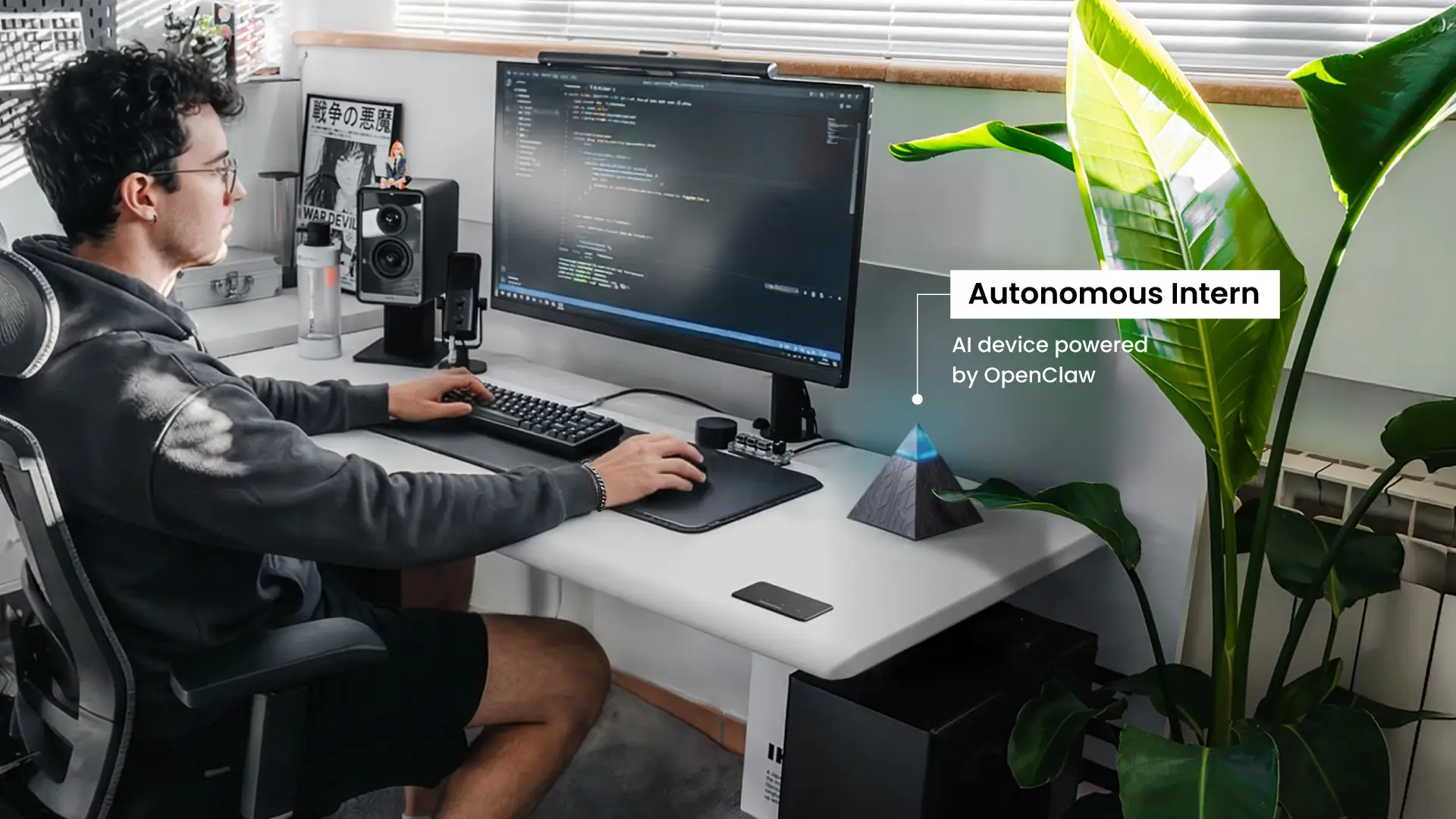
Autonomous Intern: An AI Email Assistant That Lives Outside the Inbox
Most AI email assistants operate inside the inbox — as a plugin, extension, or native feature of the email client. Autonomous Intern takes a fundamentally different approach.
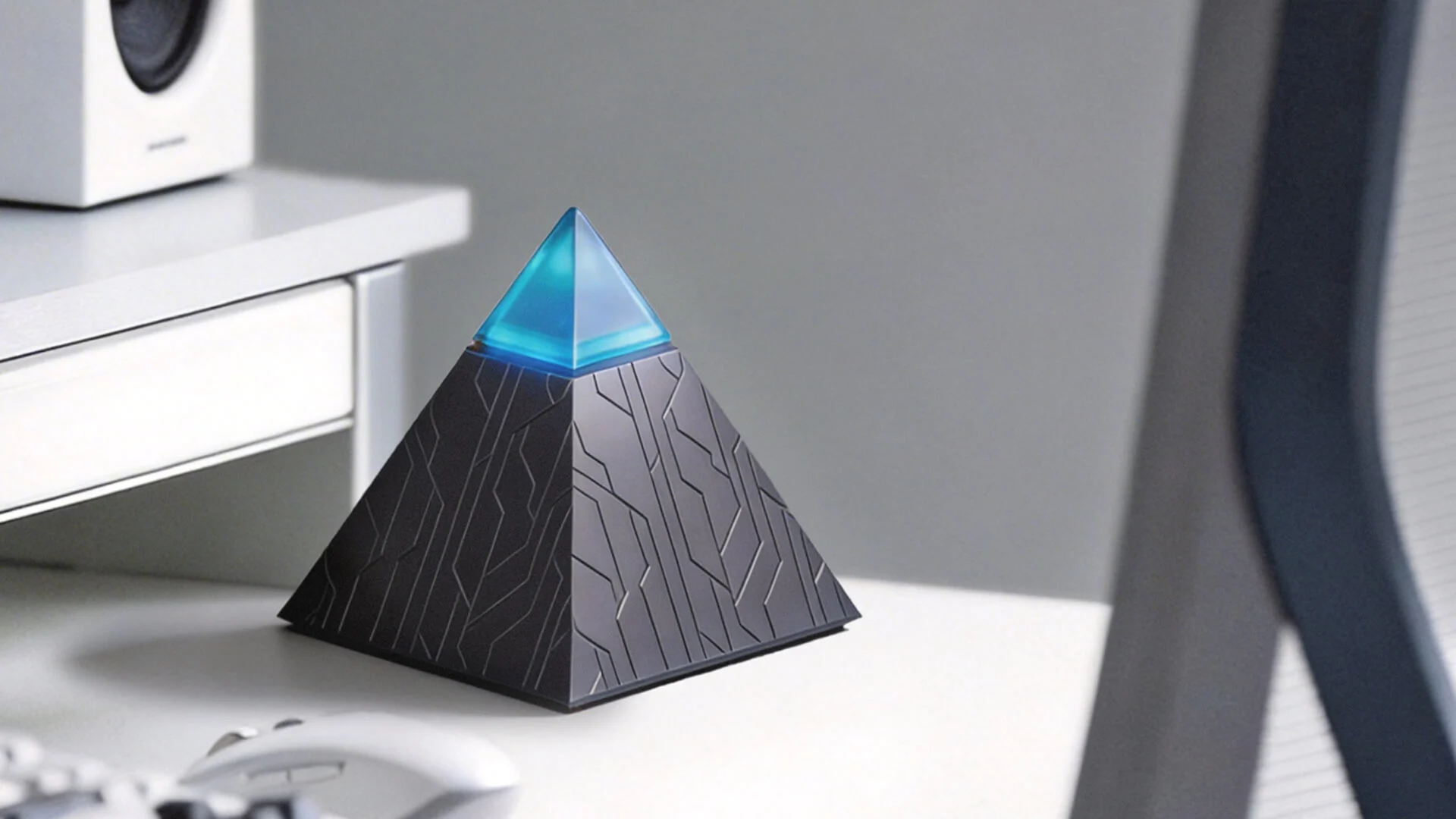
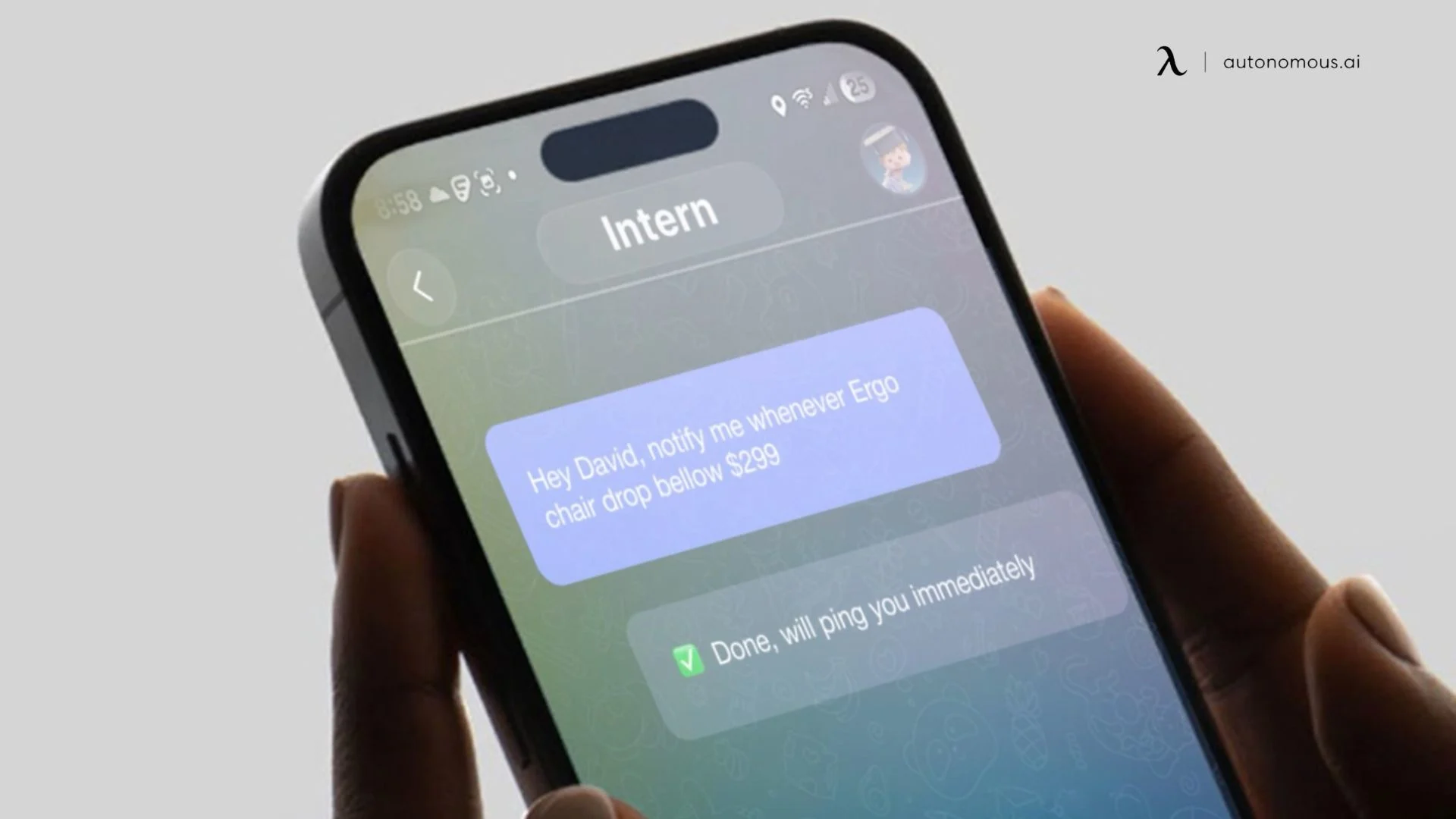
This personal AI assistant runs on a standalone hardware device using OpenClaw, an open-source AI agent framework, and handles email through conversational commands across Slack, WhatsApp, iMessage, or its own interface — no inbox UI, no browser extension, no client dependency.
Drafting, replying, scheduling follow-ups, and extracting action items from threads all happen through chat — no context-switching required. For workflows where email is one input alongside Slack threads, WhatsApp messages, and calendar coordination, this reduces the fragmentation that single-platform tools don't address.
Autonomous Intern runs on-device, meaning email content and conversation history stay local rather than being processed through external servers. It retains context across sessions — so the AI-powered email assistant becomes more useful over time rather than starting fresh every interaction.
The tradeoff is structural. There is no visual inbox — no unified view, no drag-and-drop, no folder hierarchy. If your workflow depends on scanning and sorting email visually, that absence is a noticeable gap.
If your primary challenge is inbox organization — filtering, triaging, managing high volumes — the dedicated email tools earlier in this list are purpose-built for that. If email is one part of a broader workload spanning multiple channels, Autonomous Intern is worth a closer look.
Works with: Email, Slack, WhatsApp, iMessage, and other messaging platforms
How to Choose the Right AI Email Assistant for Your Workflow
Picking the right AI email assistant depends less on which tool has the longest feature list and more on how email actually fits into your day. A tool that works well for a solo freelancer managing client inquiries will feel completely different from one built for a team coordinating across shared inboxes.
- You Need Faster Email, Not More Features
Some inboxes do not need automation — they need velocity. If the bottleneck is moving through email quickly rather than managing complexity, the right tool is one that removes friction from reading, replying, and triaging without layering on features that slow things down.
Keyboard-driven navigation, split inboxes, and quick AI drafts matter more here than deep workflow automation. For anyone who structures their day around deep work, the goal is spending less time inside the inbox so those focused blocks stay protected.
- You Work Inside One Ecosystem
If your entire workflow lives within Google Workspace or Microsoft 365, a native AI layer will always have a context advantage that third-party tools cannot replicate. Cross-app awareness — pulling from Drive, Calendar, Teams, or OneDrive — means fewer tabs and less manual context-feeding. The trade-off is that these native tools assist when prompted rather than acting proactively. They are strong at drafting and summarizing, less so at inbox management.
- Your Inbox Is the Problem, Not Your Writing
When the issue is volume — hundreds of unread messages, buried action items, newsletters drowning out real communication — a dedicated organizational tool makes more sense than one focused on writing tools. Automated filtering, behavioral learning, and bulk cleanup solve a fundamentally different problem than draft generation.
- You Manage Email as a Team
Solo email and team email are different problems. Shared inboxes introduce collision risk, unclear ownership, and context trapped in individual accounts. Tools built for team workflows offer assignment, internal comments, and collaborative drafting — features that no amount of forwarding can replicate. Pairing a team email tool with the right productivity apps can close the coordination gaps that no single tool covers on its own.
- Email Is One Channel Among Many
Most AI email assistants only operate within a single platform. If daily communication spans email, Slack, and WhatsApp, an inbox-only solution solves part of the problem. Tools built on AI agents that work across channels handle email alongside messaging rather than treating them as separate workflows.
- Data Privacy Is a Hard Requirement
For regulated industries, the deciding factor is data handling, not capability. Cloud-based tools process email on external servers by default. Private AI solutions that run AI locally keep content on-device — sensitive communication never leaves the machine. Key questions: Does the provider train on your data? Where does processing occur? Is there a no-training policy?
FAQs
Which is the best AI email assistant?
The best AI email assistant depends on your workflow and email provider. Some tools focus on inbox speed and organization, while others specialize in drafting replies and summarizing threads. Popular options include Superhuman, Shortwave, and Gemini for Gmail.
Is there an AI email assistant for Gmail?
Yes. Gmail users can access AI through Gemini for Gmail, which can draft replies, summarize threads, and help compose emails. Third-party tools like Shortwave and Mailbutler also connect to Gmail and add features such as smart search, automation, and AI-generated responses.
How to get AI assist on Gmail?
The simplest way is to enable Gemini for Gmail through a Google Workspace subscription. You can also install third-party tools such as Mailbutler or use AI-based Gmail clients like Shortwave that add drafting, summarization, and inbox organization features.
What is the best free AI email assistant?
Several tools offer a free AI email assistant with limited features. Options like Shortwave and Mailbutler provide free plans that include AI drafting, inbox organization, or email tracking. Many platforms also bundle AI email features into existing subscriptions, such as Gemini for Gmail.
Can an AI email assistant write replies automatically?
Yes, most AI email assistants can generate reply drafts based on the message content. Many tools analyze the email thread and suggest responses that you can edit before sending. Some assistants can also learn your tone over time so replies sound more natural.
Can an AI email assistant organize your inbox?
Yes. Many AI email assistants help sort incoming messages, prioritize important emails, and filter low-priority messages automatically. Tools like SaneBox specialize in inbox organization, while other assistants combine inbox management with AI drafting features.
Is there a free AI email assistant?
Yes, several tools offer free versions or built-in AI features. For example, Shortwave and Mailbutler provide free plans with limited AI capabilities. Some platforms also include AI email assistance inside existing subscriptions, such as Gemini in Google Workspace.
What is the best AI email assistant for business use?
For business environments, AI email assistants integrated with existing platforms often work best. Gemini for Gmail and Microsoft Copilot for Outlook connect directly to workplace tools like Google Drive, Docs, Teams, and OneDrive. This allows the AI to reference documents, meetings, and calendars when drafting emails.
Can an AI email assistant summarize long email threads?
Yes. Many AI email assistants can analyze long conversations and generate short summaries with key decisions and action items. This helps users quickly understand lengthy email threads without reading every message.

Conclusion
The right AI email assistant depends on the problem you are actually trying to solve. If inbox overload is the main issue, tools built around filtering and automated triage deliver the most immediate relief. If the bottleneck is drafting and responding, AI writing layers integrated into your existing client make more practical sense. For workflows where email is one piece of a broader communication stack, a cross-platform assistant addresses the fragmentation that inbox-only tools leave untouched.
No single tool handles every dimension of email equally well. The most effective approach is matching the tool to the specific pain point — not the longest feature list. The goal is not adding another tool — it is recovering the productivity that email quietly takes away.